 ee6b9db3e1
* remove keyboard revision wide feature locks to let rev1_003 use its full feature set * add feature removals to let keyboard compile small enough to fit * change folder structure and add new keyboard id fixes vial feature set for old and new ploopy mouse. this is achieved by moving the keymaps folder into the respective folders. also change the keyboard id for the new revision. * remove commented out lines * remove added newline * remove all comments |
||
|---|---|---|
| .. | ||
| keymaps/default | ||
| rev1_002 | ||
| rev1_003 | ||
| config.h | ||
| info.json | ||
| post_rules.mk | ||
| readme.md | ||
Ploopyco Mouse
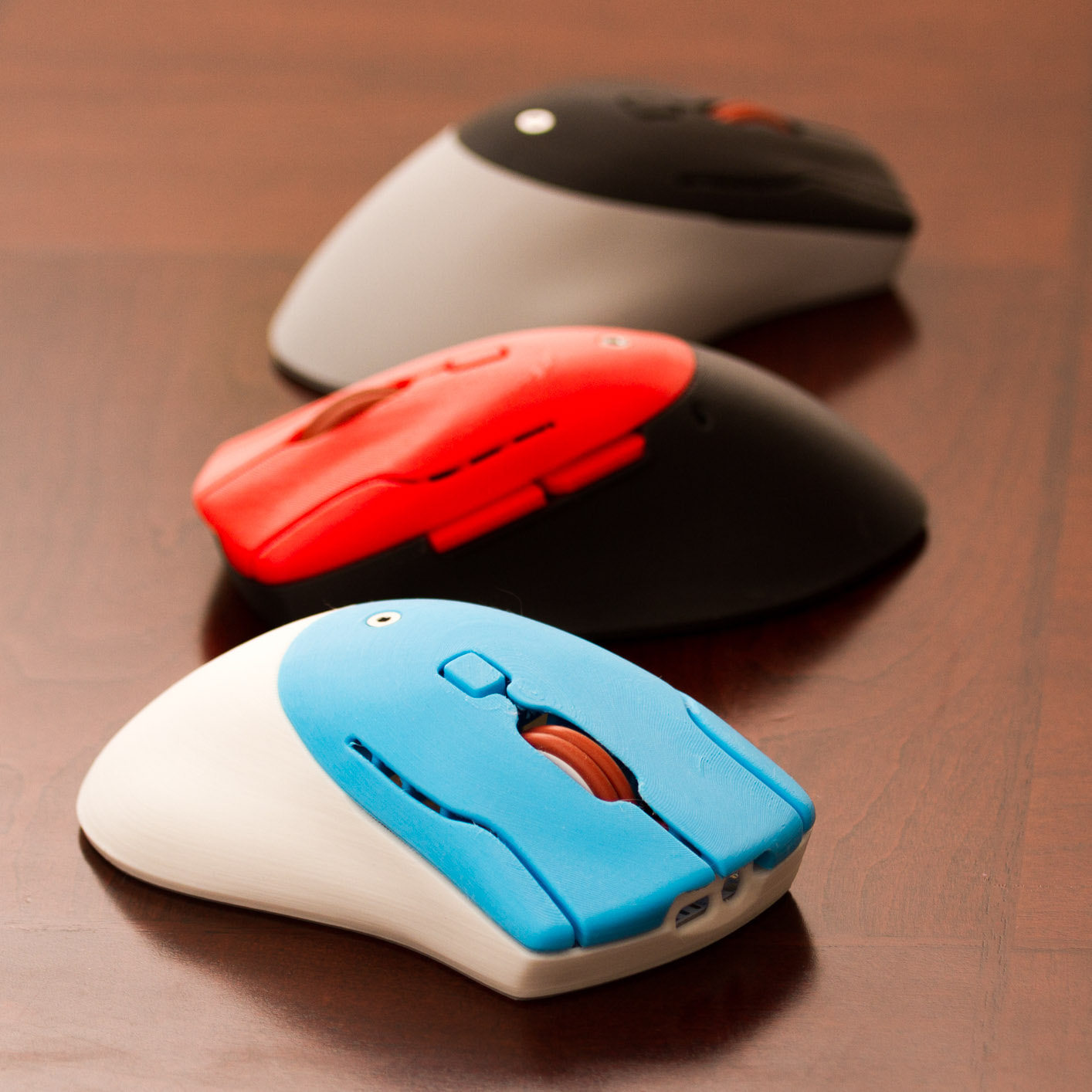
It's a DIY, QMK Powered Mouse!!!!
- Keyboard Maintainer: PloopyCo, Drashna Jael're, Germ
- Hardware Supported: ATMega32u4 8MHz(3.3v), Raspberry RP2040
- Hardware Availability: Store, GitHub
Make example for this keyboard (after setting up your build environment):
make ploopyco/mouse:default:flash
To jump to the bootloader, hold down "Button 4" (the "forward" button on the left side)
See the build environment setup and the make instructions for more information. Brand new to QMK? Start with our Complete Newbs Guide.
Customizing your PloopyCo Mouse
You can find customziation options here.